
Earn on your own terms in Alexandra and Clyde.
Whether you clean, garden, iron, or fix things, you can earn here. Set your own rates, choose when you work, and get paid through Stripe. Free to list, and you keep every dollar you quote.
Why providers choose BetweenBells
Free to list. List your services for nothing. No subscription, no listing fees, and no fees to chase leads.
Keep your full quote. The customer pays a 10% fee on top of your price. You receive exactly what you quoted.
Paid after the job. The customer's card is held when they book and released to you once the job's done. Payouts run through Stripe.
Local customers. Reach people nearby who are looking for help, not a national queue of leads to chase.
Customers pay a 10% fee on top of your quote. There are no fees for providers, ever. See how fees work →
A look inside, before you sign up.
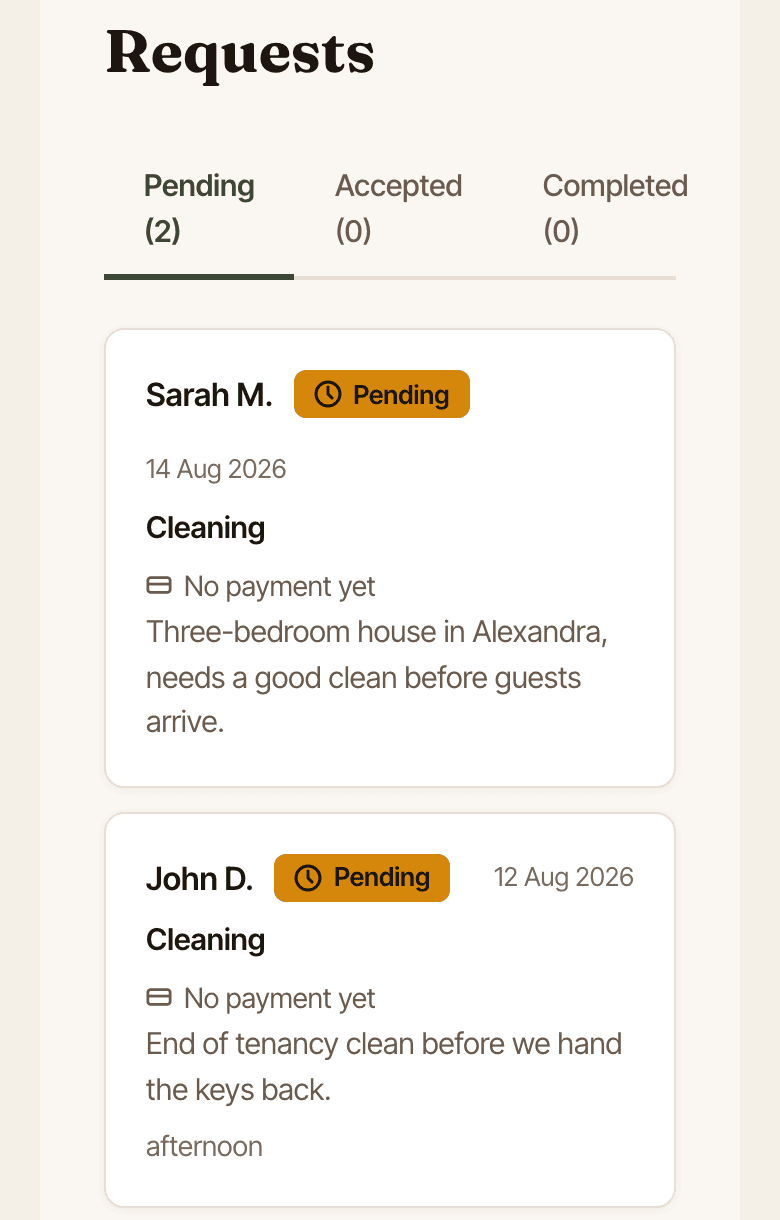
Requests come straight to you
Customers describe the job and pick a time from the hours you've marked free, or suggest one if nothing fits. You reply with your price; there's no bidding against anyone, and nothing goes in your calendar until you accept.
Decline anything that doesn't suit. It's your call, every time.
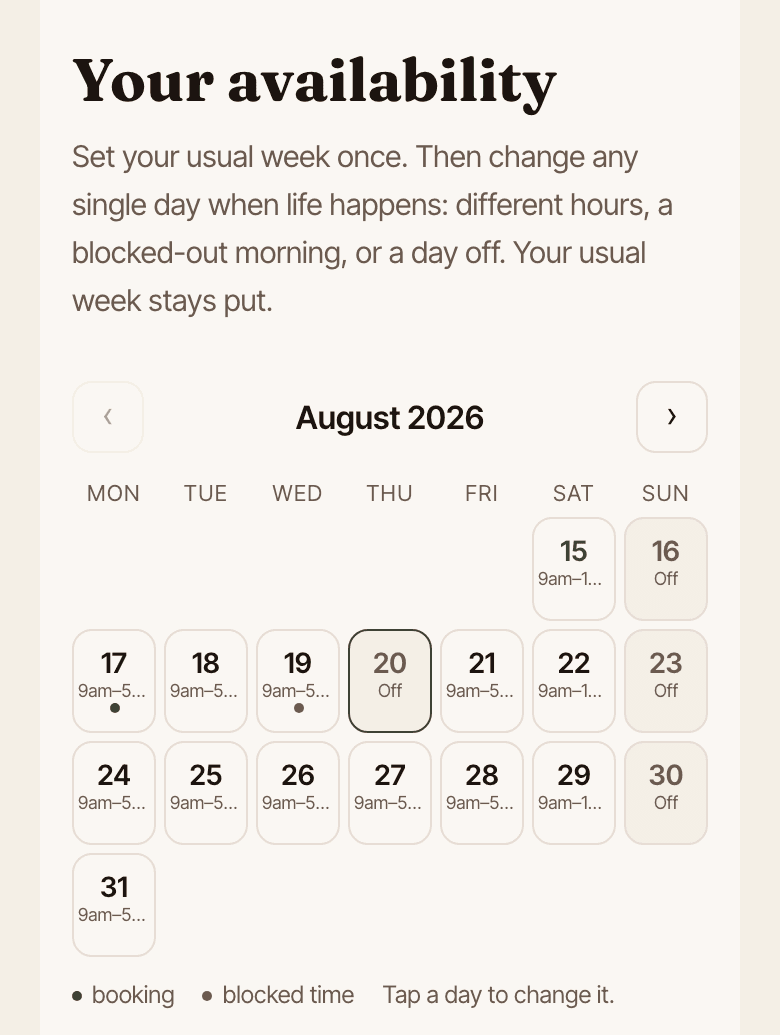
Your calendar runs the bookings
Set your usual week once, then change any single day when life happens. Customers book straight from the times you've marked free, and accepted jobs land in your calendar with everything you need.
Customers can book you up to 90 days ahead, so the week fills before it arrives.
Getting paid, sorted
The customer's card is held when they book. Once the job's confirmed done, the money is released to your own Stripe account, and Stripe pays it out to your bank automatically once you've added your bank account.
Your payouts page explains the timing, and opens your own Stripe dashboard for the full detail any time.
Set up in about ten minutes
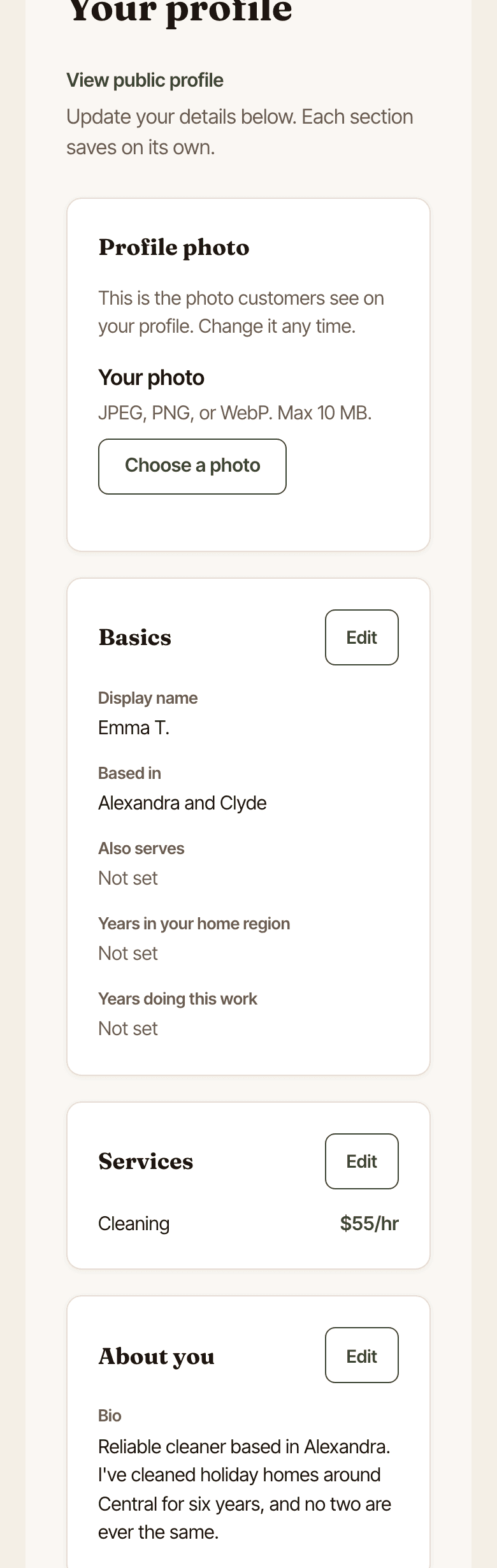
Pick your services, set your rates, add a photo, and write a short intro in your own words. Rates, hours, services, your photo, and your bio aren't locked in; change them whenever you like.
A setup checklist walks you through the whole thing, so you always know what's left.
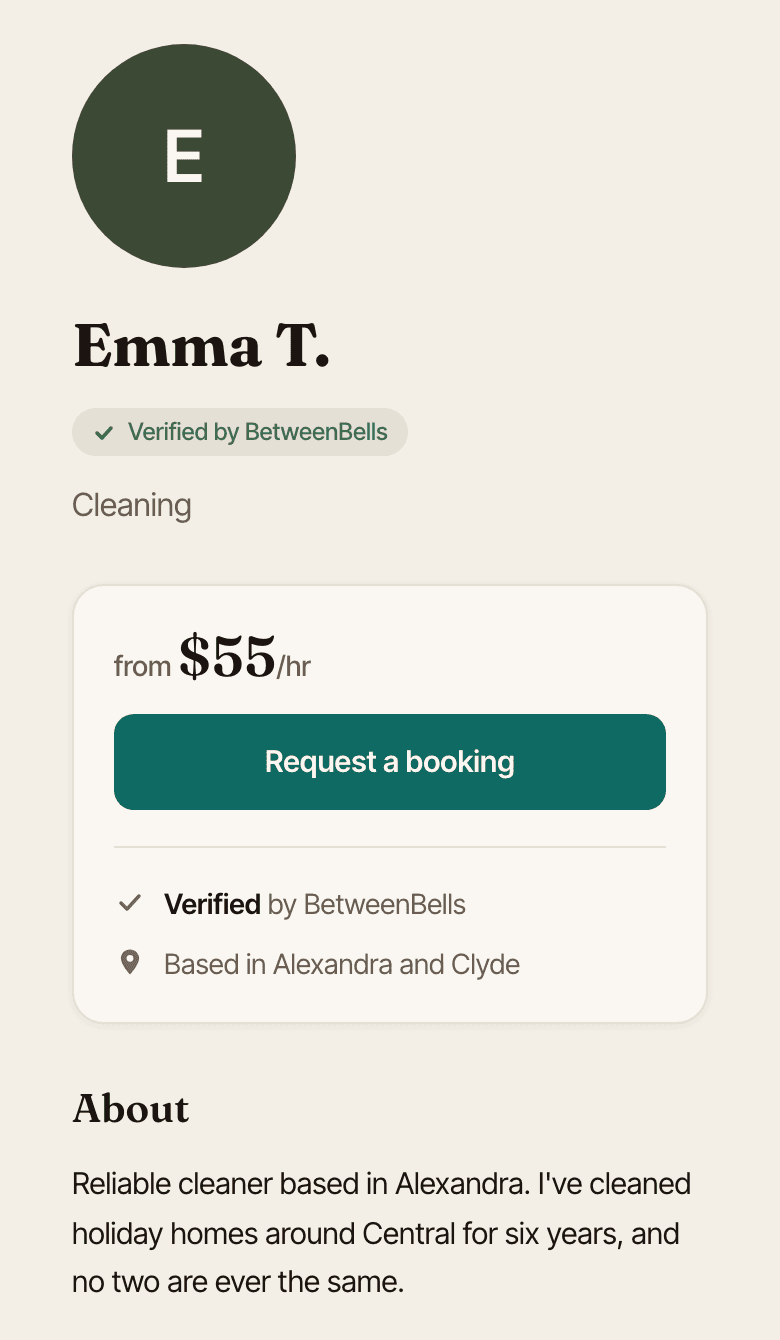
This becomes your page
Every provider gets a public page customers can book from; no website of your own needed. Once Stripe has verified your identity details, the Verified badge sits next to your name from the moment you go live.
New providers show a “New” badge in the listings until their first review. Nobody starts with fake stars here.
Reviews you actually earn
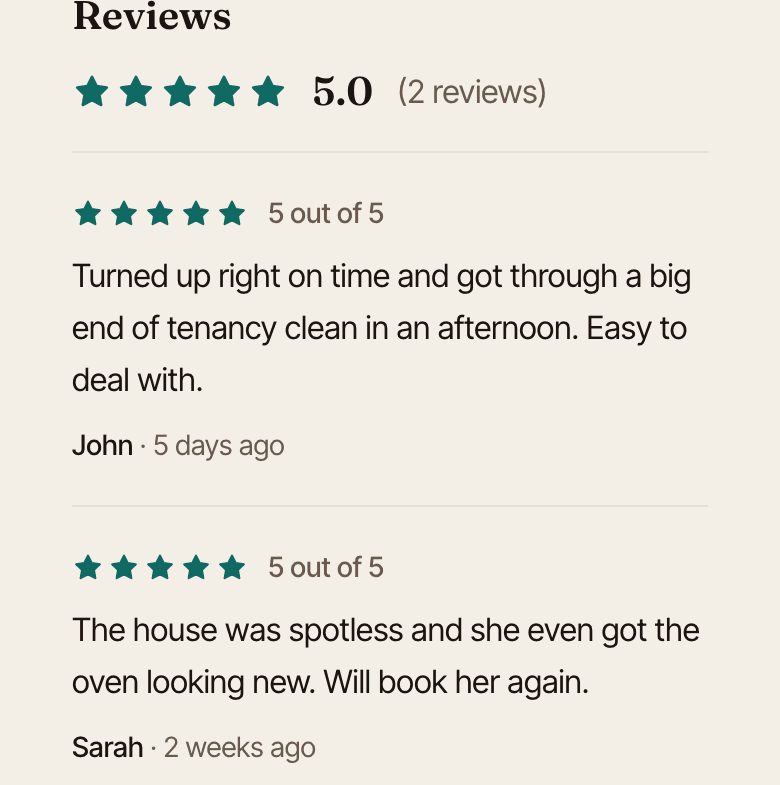
Only customers who've completed a booking with you can leave a review, so your rating reflects the jobs you've done, not drive-by opinions. Reviews build on your public page as you work.
How you go live
1. Tell us what you offer
Pick your services, set your rates, and write a short intro. Takes about ten minutes.
2. Verify your details
Stripe verifies your identity details. It is free, and most people are done in about five minutes. You do not need your bank account for this.
3. Go live
We check everything over and switch your profile on. Then local customers can book you.
4. Add your bank account
Do this whenever suits, now or after your first job. It takes a minute or two, and it is how you get paid. Your earnings sit safely in your own Stripe account until then.
Stripe verifies your identity details before your profile goes live, and most people are done in about five minutes. Joining and verification are free: no joining fees, no verification fees.
Free to join. Same sign-in for your customer side, if you have one.
Common questions
What does it cost to join?
Nothing. There's no subscription, no listing fee, and no fees to chase leads. The customer pays a 10% fee on top of your price, so you always receive exactly what you quoted.
How and when do I get paid?
Customers pay online before the job, and the money is held securely. Once the job's done, you mark it complete and the payment is processed about a day later. Stripe then deposits it into your bank account, usually within a few business days. Your very first payout can take up to a week while Stripe verifies your details.
What if a customer cancels?
The hold on their card is released, you get an email straight away, and the time slot opens back up on your calendar so someone else can book it. You're never charging anyone for work that didn't happen.
What if they never pay?
A booking isn't locked in until it's paid. If a customer hasn't paid by two days before the appointment, the booking cancels itself and your slot is freed. For short-notice bookings, the "payment secured" email is your green light.
Who sets my prices?
You do. You set your usual rates on your profile, and you confirm the exact price when you accept each job. You can also adjust how long the job will take at the same time, for example if you reckon it needs less time than the customer asked for.
Can I say no to a booking?
Yes. Every request comes to you first, and you can accept or decline. Declining is always fine, and the customer isn't charged anything.
How do I control when I can be booked?
You set your usual weekly hours, and you can block out any days or times you can't work. Nobody can ever book you outside the times you've set.
What happens after I sign up?
You fill in your profile, which takes about ten minutes, then Stripe verifies your identity details. That part is free and most people are done in about five minutes: you enter your legal name, date of birth and address, and Stripe checks them electronically. Occasionally it can't match what you've entered and asks for a document, which can take a day or two. Then I check everything over and switch your profile on, usually the same day. Your bank account comes later, whenever suits, now or after your first job; you don't need it to go live.

I check and approve every provider myself.
Questions? hello@betweenbells.co.nz